Friday, 4 January 2013

Documentation


Even though we are art students, so we communicate mainly through visual means it doesn’t mean we shouldn't can’t use words to communicate ideas. Sometimes reading something is just more clear cut than pictures, it gets to the point straight away, especially for technical stuff.

We have these documents  to explain areas which pictures cant. Such as technical specification, target market, story, gameplay elements, funding etc. Its these documents which gets your game approved and funded in a professional setting, so if you can’t do this well then you won’t be producing your game.

Documentation in my third year is going to be a major aspect of all the work I have to do. So to get some practice in (as practice makes perfect) im going to produce a small document on a game ive always wanted to produce. Due to some lucky circumstances I kinda did when I joined an indie team,  but like with 95% of indie teams we disbanded  and the game was left 25% finished - it was still an experience nevertheless.

Project Outline

To create a fast paced, online, third person action game based around the height of the roman empire conquering Britain.

Up to 64 players (32 players each side) choose to play as either the Roman Legion or Barbarians, with the choice of 4 classes each side supporting different play styles. Players battle it out through several match types to earn experience to upgrade their class and attributes, as well as cosmetic appearance.


PC exclusive to provide an excellent online gaming experience with superb visual quality, and to keep costs down to a minimum (less licensing costs)

Rated 18 -To offer the most realistic experience to the player (War is not pretty)

Software – 3DS Max, Photoshop, Zbrush and UDK.

Learning Outcomes

Create realistic character models
Historically accurate weapons and armours
Photo realistic textures
Strong player silhouettes to differentiate between classes easily


Technical Specification

  • Lead Character


For the base model the players chooses between a selection of pre made head and hair types for each class to stick on the body. (This keeps art quality high compared to ‘feature sliders’ while still having a personal touch for the player).

Heads - ~2000 tris with 512*512 Diffuse/Specular/Normal
Hair - ~300 tris with 256*256 Diffuse/Alpha
Body - ~6000 tris with 1024*1024 Diffuse/Specular/Normal

Depending on what class the player picks, and the level of their class , the armour and weapon specification can change, but the max is as follows:

Armour -  ~4000 tris with 1024*1024 Diffuse/Specular/Normal/Alpha
Helmet - ~ 1000 tris with 512*512 Diffuse/Specular/Normal/Alpha
Weapons -  ~ 750 tris with 512*512 Diffuse/Specular/Normal/Alpha

  • NPC

As this is an online only game there is not many NPCs, but one of the levels is based inside a gladiatorial arena. The stadium is filled with a crowd, 100s of NPCs. As there are so many NPCs the poly/texture budget has to be very small so not to effect performance.

Male - ~ 1100 tris with 512*512 Diffuse/Normal
Female - ~ 1100 tris with 512*512 Diffuse/Normal

Example of the male crowd character

  • Vehicle


Players who reach a certain level will unlock a horse to use.

Horse - ~ 5000 tris with 1024*1024 Diffuse/Specular/Normal/Alpha
Equipment - ~ 500 tris with 512*512 Diffuse/Specular/Normal/Alpha

  • Environment


There will be many different environments to reflect Britain at the time, such as thick forests, mountain ranges, small villages, fortifications and gladiatorial arenas. Triangle and texture budgets for these level would differ greatly as some levels have more detail than others.

Gladiatorial arena in its early development stage

  • Props


Many props will be scattered around the environment to make it more visually appealing. Below is just a few examples of them:

Selection of clay pots - ~ 1000 triangles with 512*512 Diffuse/Specular/Normal Tools - ~ 1000 triangles with 512*512 Diffuse/Specular/Normal Crates - ~ 500 triangles with 512*512 Diffuse/Specular/Normal


Monday, 31 December 2012

Game Engines


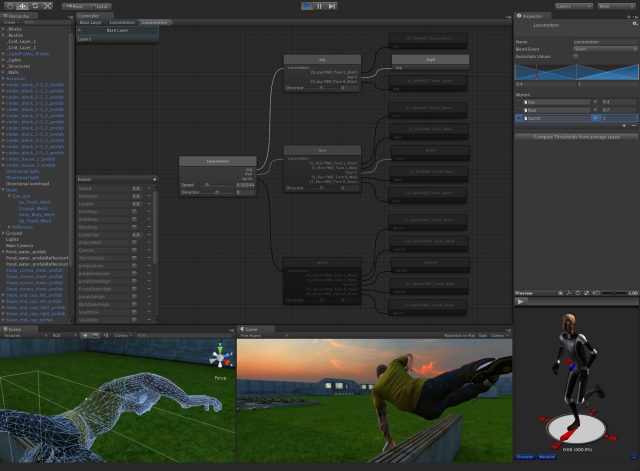
So all those pretty games we play are all developed within game engines, they bring together all the elements of a game such as art assets, animation, AI, GUI, sound, networking and programming and they make the final product you play. They’re pretty cool things.

 But…

Game engines are Marmite.

I think no one will deny the fuzzy warm feeling of accomplishment you get when you get your model running in engine, and you know that’s exactly how it’ll look in a game. And then having the ability to run around you model and shoot at it is great. Love it.


Bliss

But to get to that point is like climbing a mountain in a wheelchair. The interface of these engines is so confusing, loaded with icons and words left, right and centre. After importing your model its then a game of problem solving trying to figure out why this and that doesn’t work and why you’re getting error messages nonstop,  nothing ever runs smoothly. Hate it.

There are many game engines on the market to pick from, from hobbyist, to indie, to professional. But I’m going to focus on the three main engines on the market (UDK, Cryengine and Unity) and list the pros and cons of each.

UDK


The biggest player out of the three, also been round the longest.

Games using UDK : Gears of war, Mass effect, XCOM, Borderlands, Medal  of honour, Dishonored.

Costs : Free for non-commercial license. $99 upfront then 25% in royalties after the first $5000 for commercial license

Pros:
  • Large developer community and documentation – easier to solve any issues you run into.
  • Very versatile  shaders – ability to create any sort of art style you want, from cell shaded (borderlands) to photo realistic (Medal of honor)
  •  Work on a variety of platforms – Pcs, consoles and iOS.
  •  Monthly updates – new features are being added all the time to stay ahead of the competition
  •  Low cost license fees make it ideal for indie companies

Cons:
  •  Confusing interface
  •  Before playing your level you have to build paths, lighting, AI etc. Can take a very long time.
  •  Poor lighting systems – only allows 4 dynamic lights (Better for indoor scenes)


Cryengine


The new kid on the block, but packs a punch.

Games using Cryengine:  Crysis, Mechwarrior, Sniper: Ghost Warrior 2

Costs : Free for non-commercial license. Contact Crytek for upfront cost then 20% in royalties for commercial license.

Pros:

  • WYSIWYG editor – ability to see the final results of your assets in the viewport in realtime, no  need to build paths/lighting. Quicker Workflow.
  •  Better lighting systems - a lights are dynamic (Better for outdoor scenes)


Cons:
  •        Limited to PCs and Consoles
  •        Small community and documentation
  •        Editor can run slow due to realtime viewport.
  •       Need to be connected to the internet to run


Unity


Not eveyones first choice, but is worth taking a look.

Games using Unity: Temple Run, Castle Story, Battlestar Galactica Online

Costs: Basic version is free. Pro version is $1,500 (plus any additional add-ons).

Pros:
  •       Largest developer community and documentation out of the three – any issues can be answered
  •      Works on many platforms – PCs, Consoles, iOS, Andriod and Web browsers
  •       No royalties for any commercial release


Cons:
  •      Additional costs if you need more advanced features or need to develop for mobile platforms
  •           Lighting/rendering not as advance as UDK/Cryengine

     Refrences:


Saturday, 22 December 2012

Level Design


The first time I heard of the job title ‘level  designer’ my first thought of their role was to make pretty levels pretty, and thought to myself ‘Hell yeah that seems easy! I wanna do that when im older’. But after progressing with this course and game art in general I can say I massively misunderstood their role. Their job is basically make the level playable, interesting, support gameplay elements AND make it all look pretty….seems like a challenging job, but interesting.

Level designers go through several stages to reach the final goal, just like any other artist. Reading through an interview with a level designer (http://level-design.org/?page_id=917) ive put together a short typical workflow:

-          Idea generation – From the brief of the mission/objective you generate ideas that the player can encounter (enemy engagements, puzzles, checkpoints, item placement etc.).

-          Get an idea of player progression throughout the level – piece all the above encounters  in a more fleshed out way. Get an idea of how, when and where the player will encounter these within the level.

-          Whiteboxing – create a very basic level mainly with 3d primitives to get an idea how the level works with the implemented gameplay elements.

-          Playtest – Get players feedback on what works and what doesn’t, make any amends.

-          Polish – After everything is set in stone it’s time to make things pretty. Turns those ugly whitebox models into fully fledge 3d porn.

A good level designer will design the level in such a way that the player always knows where he can and cannot go within the level, and to also make sure they watch important events unravel in game.

This can be produced in several different ways, some are cleverly done, others not so much. Say for example the player needs to go down a certain path to continue the mission, the level designer  could show trees falling over, blocking the other paths so the player only has one option, or something with a colour that stands out from the rest of the scene near the path that can provoke the player to take a gander. Even though these ideas are a tad unoriginal it is still better than a giant red arrow showing where the player has to go (which ive seen in way too many games) this way also breaks immersion for the player.

Nothing says realism like a giant red arrow


They can also use similar techniques to make sure the player sees important set pieces. Like in FEAR, the player has to go down a ladder to continue on, and while doing so the player gets a quick glimpse of Alma, the scary ghost girl which the player never expects. This was brilliantly done and scared the hell out of me when I first played it (and second, third and fourth time).


Birds are effectively used a lot in games to draw the players eye to a certain point within the environment.

Birds fly off to get the attention of the player to introduce a new enemy


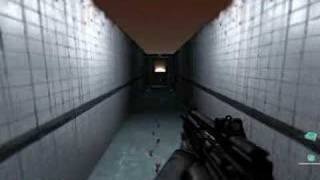
Some of the most memorable games I’ve played always played on human emotions and fears (works especially well in horror games). For instants I’m not the greatest fan of tight spaces, but games like FEAR and Amnesia thrive on your fear of this and puts the player in dark narrow corridors making the player feel trapped and vulnerable, making those scary moment even more scarier. Good games.

No way out


Good level designers also have an attention to detail making their levels interesting to look at, as games are a visual medium, so its nice to have something nice and pretty to look at and appreciate while you complete your tasks. Even people with no art interest can still appreciate all the little details in the environment.  

Replay ability is important in levels and games in general too. Designing levels in a certain way where the player can tackle a problem in several methods will mean the player will go back to try something different on the second/third play through. All this makes the game seem a lot longer than it actually is. Although sometimes level designs get lazy : I remember back in the day when racing games use to make the player race round the track in the other direction, which ‘doubles’ the amount of tracks the game has. Then there’s procedural generated levels, don’t get me started on these…. ‘An infinite amount of levels’, yeah maybe so, but it’s an infinite amount of boring ass levels… 

Level design, Serious business.

Interesting links:


Thursday, 13 December 2012

Composition


Composition is just a fancy word for how elements are arrange within a scene. Sound simple? Yes it does. But putting it in practice is a different story.

Now on the surface this might not sound that important when creating a picture/painting, and you might hastily  think that super awesome rendering skills with a pencil is something way more important than this silly “composition”. But after seeing a wide range of the good, the bad and the ugly of a good few pictures I can say composition is very important.

Good composition keeps the viewers attention, and surely that’s what the artist wants. They want all their years of hard work to master their abilities and art to be appreciated. Or they just want them to buy it, yeah maybes it’s that - the  more they look at it , generally the more they like it, so they’re more likely to buy it. Money makes the world go round and all…

Composition can be put into several categories/rules, these are :

Line
Shape
Colour
Texture
Form
Value
Space

These rules are not something you can ‘just get’ and apply awesomeness to all your paintings. It takes time to learn them, understand them, and apply them correctly. Analysing paintings from the masters to see what they did and why will help you progress at a quicker pace. And as a side benefit you’ll also start to appreciate art more too.  For instance I’ve seen a few paintings I liked when I was younger, like “Composition with Red Blue Yellow”, and some I just thought “Really? That’s art?!” aka the works of Piet Mondrian . But I never knew why, but now that I understand the techniques, like the golden rectangle, I can see the hard work and thought process behind these paintings, making me appreciate them more.

An hour lecture changed my opinion of this from WTF?! to Woah


A bit of researching of good vs. bad composition threw up some interesting reads. A good link I found was here http://digital-lighting.150m.com/ch07lev1sec3.html  (It has other pages which are worth a read, but the link deals with just composition) It goes through what makes a particular image bad, and how changing something very minor has a major impact, compositionally. Another golden link http://sevencamels.blogspot.co.uk/2006/03/10-minute-art-school-composition-101.html

 After a bit of more of an understanding of composition from research and a lecture I tried to put some of these techniques into my latest digital paint of Bradgate. The painting is finished, but at a later date when I have time I would like to revisit it.


I’ve listed the points in the painting below on the compositional techniques ive put and noticed in the painting:

A – There are a series of swooping lines which guide the users eye to the vanishing point, such as the brick walls and the line of trees with fencing.

B – Gives the viewer a sense of depth, trees were not this uniform in real life, but to get a better sense of depth I used artistic license to arrange these trees more uniformly.

C - I’ve made a tonal gradient from dark in the bottom right to light in the top left

D - There are different focal points across the image, such as the stone bridge in the bottom left and the tress to the right, disappearing into the vanishing point. All of these points keeps the viewers eyes wondering around the image (not aimlessly though) making it interesting.

When selecting what picture I wanted to paint I wanted my gut instinct/artistic eye make the judgement of which one had the best composition. It’s hard to explain, but when looking at pictures/paintings with bad composition it feels like your eyes are straining, I guess this is your brain trying to recognise patterns within the picture but cant. On the flip side you get a fuzzy feeling when you look at something nice. So when I get that feeling, I go for it. That is why I selected the above painting rather than the other 200 photos I took at Bradgate.

As I get further and further into this course and learn more about it I will be able create/arrange images to really sell my artwork more than at the moment.

Wednesday, 24 October 2012

Work Plan

I kept my promise, although a bit later than expected (better late than never comes to mind).

So in one of my latest blog posts i said i feel like i'm slightly lagging behind with work. So i decided to make a plan.

This plan gives me enough time to focus on my projects (3D, VD and critical studies), as well as a bit for personal development. I've made Friday a buffer day as i always find i need more time for work, so ill dedicate that do to catch up on any outstanding work. But if by some miracle i don't need to do any work on Friday than ill use it as a rest/personal development day. Buts its not all work and no play, I've left my weekends free, as this is usually when i visit my girlfriend. I see my weekends as a reward - work hard throughout the week and i get to see my girlfriend.

Anyway, here's the plan, crudely put together, but it works:


Ill keep you guys posted on how well its working. 

Thought process of a professional artist


After reading an article on the process of creating a concept, and then discussing it with my fellow peers I have come up with 5 rules of an ideal thought process when creating art.

I have prioritised these from most important to least (but is still important in the grand scheme of things)

  •        The 5 p’s

That’s proper planning prevents poor performance.

This is one of only a few sayings I actually like and try (especially lately) try to live too. The whole idea of planning is to set yourself targets and deadlines  so you achieve you end goal as efficiently as possible.
If this crucial stage isn't done you spend the first few days of your project doing nothing as you think ‘ah 4 weeks is ages, I can easily so it in 2, so I’ll leave it a few days then start’. Then you start and notice the project is a lot bigger/time consuming then you first thought, and you run into problems you never saw happening but they always crop up, so now something which you wanted done in 1 will now take 2 days, which pushes the whole project  back. And if you have a non-negotiable deadline you’re going to start taking shortcuts and your work will suffer for it.

From the little experience I already have I have notice this always happens to me. So now when I plan I make buffer days to combat this.

Planning is a major skill in anything anyone does, without it, the world would be a mess. All the following points can be loosely based in the planning stage. That is why its number 1 for me.

This poster should be in every workplace


  •        References

As fantastic and mysterious as the brain is, it can only think up so much, you’re gonna need references to help you out.

Actually scrap that, don’t do anything without reference. Reference is key! No matter how much you think you might know your brain doesn't exactly know how the folds on a silk cloth is going to deform while its covering a body, or how high polished metal reflects the environment.

This is why we gather references. Also don’t use your lack of references as an excuse because you’re creating something non-realistic i.e. anime.  Even that still follows basic proportion, form and confirms to physics.

Realistic or not, you need reference. Be it from taking pictures yourself, setting up lighting rigs or draping clothes over objects, heck Google images is better than nothing.  

  •        Rip yourself a new one

People need to learn to be more self-critical and not get emotionally attached to their work. If they’re too attached to their work all they’ll do is look passed all the flaws in what they've produced, thus not really learning much from it. You need to stand back at the end of your project and analysis everything about it – What could have I done better? Why didn't I spend more time on that? That looks wrong, but why?
Being critical on other person or your own work will help improve your artistic eye.

Hmmmm don't be too harsh on yourself or other though


  •        Gimme a brief!

A Brief will set out a line of objectives or goals to do by a certain time.

Without briefs we would be pretty lost in what to create , or what constraints we have to work too. And to a certain extent it would make the whole project very difficult to plan.

If no brief  existed between you and your client it will make things very difficult. If they don’t write a brief but just give you a general idea of what they want then you’d go off creating what you want to an extent, which might not be exactly what the client wants, so you then have to rework it. So everything you did before was wasted time, and as we all know (especially in this industry) time is money. So you need that brief.
Even if it’s just a personal  project, write a brief for yourself.

  •        Work it at the thumbnails/keep it simple

As easy as it is to jump into Max/Photoshop to create your idea you must fight your lust to do that and start of by creating quick sketches/ideas, aka thumbnails. This is so you can experiment with designs in a very quick way. You’ll find that very rarely your first idea will look good, or even work, you need to flesh out these ideas. There’s a saying: If it doesn't work at postage stamp size, then it won’t work at any size. This is very true, you can tell when something  just works, and its better to the reach that stage with only ~30 minutes of work, rather than 30 hours.

Right, I think I’m done here.

Thursday, 18 October 2012

Things aren’t quite going to plan


So since my last blog update I said I was hoping to do work pretty much all the time so I can develop my skills faster. Well I have been keeping to it more or less things aren't  going as well as expected, here’s the problem – I seem to be lagging behind with work already, which is an awful start to this year. And it’s not to do with not putting the effort in.

 As  proof I've not been procrastinating (well not proof, but I guess you’ll have to take my word for it) I just got up, showered, had breakfast and I’m typing this before I go off to my morning lecture in 20 minutes, I would usually use this time to browse something stupid on the interwebs or something. But that’s the old me, this is the new me.

 I think one of the main culprits of this ‘lack of work’ is that I’m starting to try out different techniques for digital painting -  researching it then putting it into practice, which takes time. I could never get to grips with it last year so I’m determined to this year, and to also find my painting style. Maybe this is the lull I have to work through before I see the benefits of the work to pay off. I just have to make sure I don’t loss my momentum and get demotivated, which could happen easily.

I think I might have deluded myself :/. I’m telling myself I’m keeping to a plan, but actually I’m not, I’ll work for 10 minutes then procrastinate for 15. The work plan I have is just in my head not on paper, so maybe I don’t feel it’s real, so I don’t follow it? I don’t know. But what I’m  going to do is knock up a plan on paper in a couple of days. Hopefully because its real I’ll keep to it….well that’s the idea.

Expect an update with a plan in the next few days, until then I got some work to do.